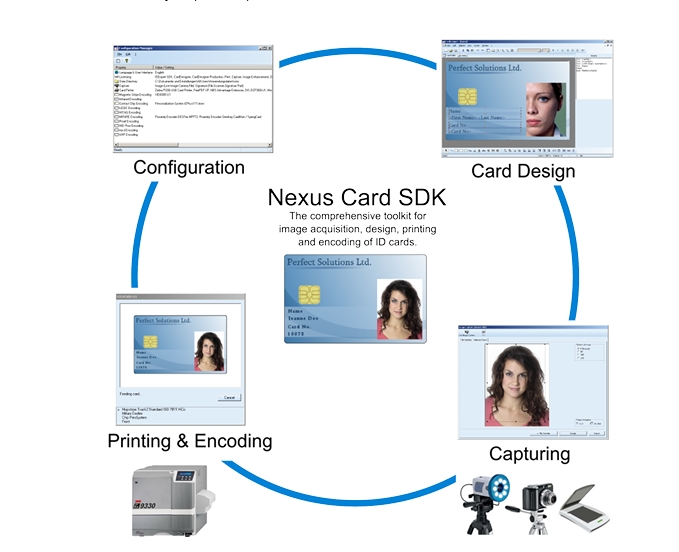
the SDK offers primarily following components:
The Card Designer to design graphical layouts: It is a WYSIWYG editor to create layouts which can be printed using the SDK’s printing component. The CardDesigner may be embedded in an integrators application or may be used as a standalone application. In the latter form it also allows management of card types and an easy to use card production environment (initial solution for simple and easy card production).
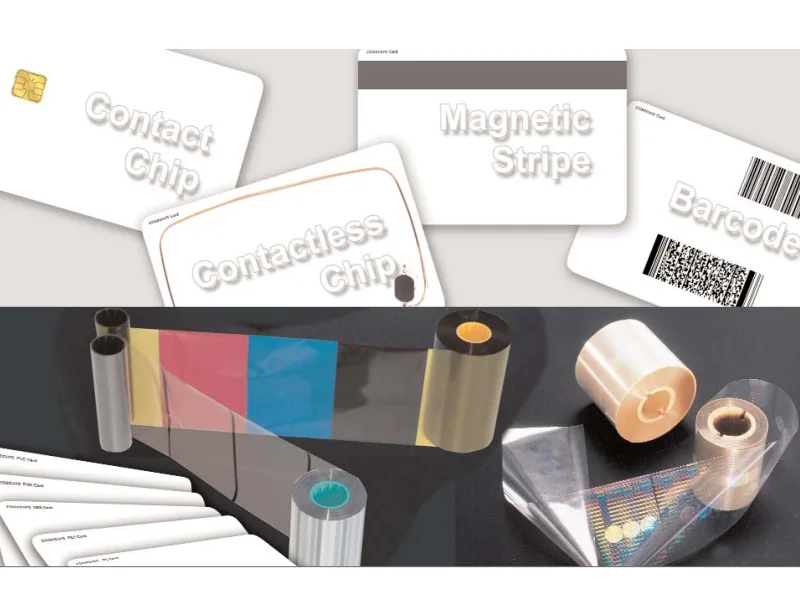
The Capture Component to capture photos, signatures, fingerprints and documents. Supported capture devices are video cameras, digital cameras, scanners, signature pads and more. The Production Component to print and to encode ID cards. We support all ID card printers for ID1, ID2 and ID3 cards for which a windows printer driver is available. Standard laser or inkjet printers for paper badges may also be used. Chip encoding can be done printer integrated or with standalone devices. The SDK supports the encoding of contactless RFID chips as well as contact chip Smartcards for a Public Key Infrastructure (PKI). However, printing and chip encoding are separate features. You may use them combined or separately. The Con guration Manager to con gure the components. It con gures basic settings like user interface appearance and language, the SDK’s license and all connected devices like printers, capture devices and chip encoders. Currently 11 languages are supported by the user interface of all SDK’s components: English, German, Swedish, French, Italian, Spanish, Portuguese, Arabic, Chinese, Russian and Polish.
The CMS-SDK can be used in two different modes:
Standard Windows Application: The CardDesigner administrates card types consisting of layouts and encoding descriptions. It is also used to designs the layouts. All data is stored locally. Production is done by creating a card job which contains a reference to a card type defined by the CardDesigner. The card job contains all variable text and image data. As all cards in this architecture are managed by the CardDesigner, the SDK’s usage in this architecture is named Managed Mode.
Client-Server Application: The administration of card types is done by your application using the CardDesigner / Encoding Confgurator or CardComposer. The CardDe signer is only used to design the layouts. No data is stored locally. Your application has to store and manage card types itself. Production is done by creating a card job with layout data, encoding description data, variable text and image data. In this mode, no local les are referenced- all data is exchanged between your application and the components
Contact and contactless smart card encoding, graphical personalisation and issuance workflows.
Highlights
- Proven deployments with government and enterprise users
- Installation, integration and training by Multywave engineers
- Annual maintenance and on-site support
Contact us for datasheets, pricing and a live demonstration.